
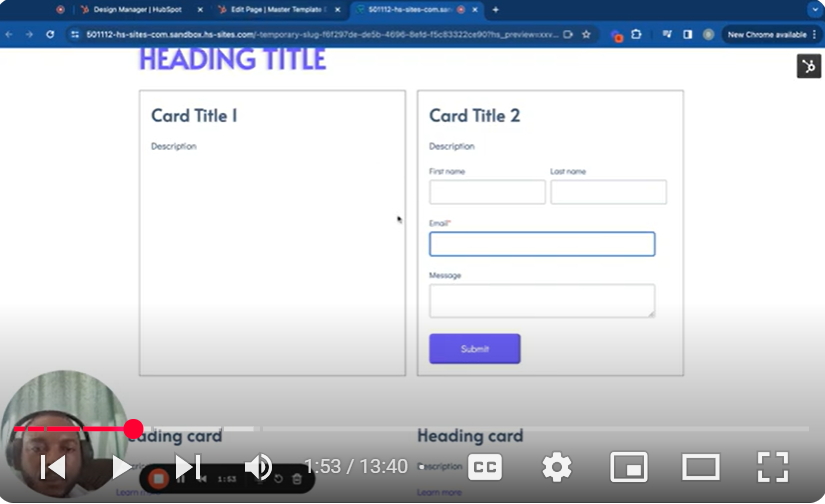
Dive deep into the capabilities of HubSpot CMS with our specialized tutorial on incorporating forms within your custom modules, presented in “Mastering HubSpot CMS: Part 5.7 – Add a Form in a Module.” This segment of our extensive series is meticulously crafted to equip you with the knowledge and skills needed to seamlessly integrate interactive forms into your site’s modules, enhancing user engagement and data collection.
🚀 Key Learning Outcomes:
Form Integration in Modules: Learn the step-by-step process of embedding HubSpot forms into your custom modules, enhancing the interactivity of your site.
Form Selection and Customization: Discover how to choose the right form for your module and customize its settings to fit your specific needs.
Module Styling and Layout: Get insights on styling your form within the module to ensure it aligns with your site’s design and user experience standards.
Responsive Design Tips: Ensure your form adapts to different screen sizes, providing a consistent and user-friendly experience across all devices.
Troubleshooting and Optimization: Gain valuable tips on resolving common issues encountered when adding forms to modules and optimizing them for performance and usability.
📌 Tutorial Overview:
00:00 Introduction to Form Integration in Modules
00:11 Adding a Form Field to Your Module
00:28 Selecting and Configuring the Form
01:03 Customizing the Form Heading and Previewing the Module
01:46 Adjusting Form Field Layout for a Two-Column Module
02:12 Ensuring Full-Width Form Fields and Custom Styling
03:23 Applying Custom CSS for Form Inputs and Buttons
04:01 Finalizing Form Appearance and Functionality
👨💻 Who Should Watch? This tutorial is tailored for web developers, digital marketers, and HubSpot CMS users looking to enhance their sites with custom modules that include fully functional and aesthetically pleasing forms.
👍 Found this guide on integrating forms into modules useful? Please like, share, and subscribe for more detailed tutorials on mastering every aspect of HubSpot CMS.
💬 Got Questions or Need Help? Leave a comment below with your questions or feedback. We’re dedicated to helping you make the most out of your HubSpot site with engaging and efficient modules.
SUBSCRIBE
https://www.youtube.com/@BACHOTMPUNGA…
Need help? Ping me on LinkedIn
/ bachot-mpunga-bashala-b834191b
HubSpotCMS #CustomModules #FormIntegration #WebDevelopment #HubSpotTutorial #UserEngagement #DigitalMarketing #WebDesign #InteractiveModules #CMSOptimization
Leave your comment