
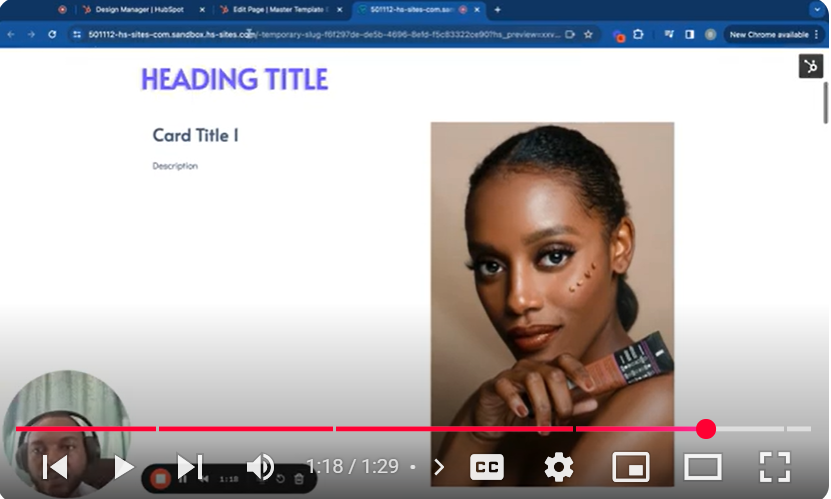
Dive into the world of HubSpot CMS with our tutorial, “Mastering HubSpot CMS: Part 5.9 – Add an Image in a Module,” part of our comprehensive series designed to enhance your web development skills. This video guide walks you through the process of incorporating images into your modules, transforming the visual dynamics of your site’s pages. Whether you’re looking to add a featured image or enrich your content with visuals, this tutorial offers the step-by-step guidance you need.
🚀 What You’ll Discover:
Image Integration: Learn the straightforward method to add images to your HubSpot CMS modules, vital for creating visually appealing content.
Image Selection: Understand how to select and upload the perfect image to complement your module’s design and content directly within the HubSpot platform.
Customization and Optimization: Explore the customization options available for your images, including sizing attributes and lazy loading settings, to ensure optimal performance and responsiveness.
Practical Application: See a real-time example of how an image is added and displayed within a two-column module, providing a clear understanding of the process and the end result.
📌 Tutorial Highlights:
00:00 Introduction to Adding Images in Modules
00:16 Initiating the Image Addition Process
00:36 Utilizing the ‘Copy Snippet’ Feature for Image Integration
01:03 Adjusting Image Settings for Best Display
01:27 Previewing the Added Image in a Module
👨💻 Who Should Watch:
This tutorial is crafted for HubSpot CMS users, web designers, and digital marketers aiming to leverage images to make their site modules more engaging and visually attractive.
👍 Liked This Tutorial?
If this guide on adding images to your HubSpot CMS modules was helpful, please give it a thumbs up, share it with your network, and subscribe to our channel for more detailed tutorials on mastering HubSpot CMS.
💬 Need More Help or Have Questions?
If you have any questions about adding images to modules or need further assistance with your HubSpot CMS projects, feel free to leave a comment below. We’re committed to helping you make the most of your HubSpot site with engaging, visually rich content modules.
Leave your comment