
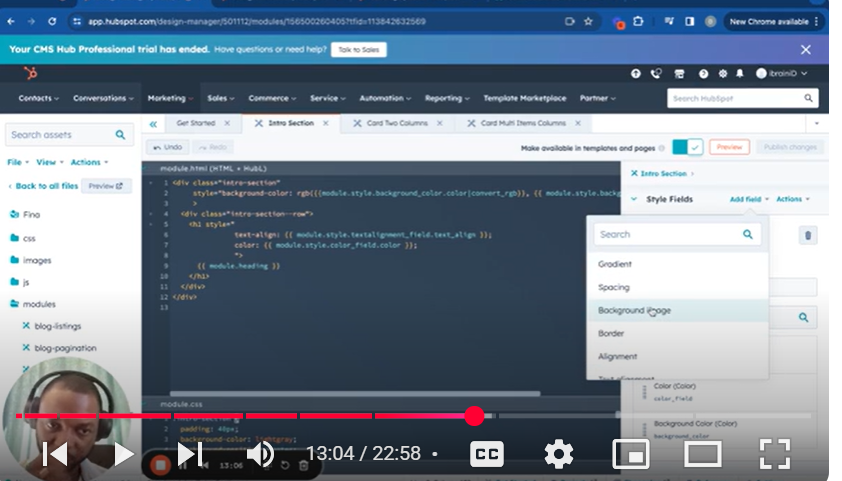
Elevate your HubSpot CMS skills with our tutorial, “Mastering HubSpot CMS: Part 6 – Style in a Custom Module.” This video is an essential part of our series, aiming to equip you with the knowledge to utilize HubSpot’s styling features within your custom modules effectively. Whether you’re a beginner or looking to refine your styling techniques, this guide covers everything from adding basic text to implementing advanced styling options like gradients and font customization.
🚀 What You’ll Learn:
Introduction to Styling in HubSpot: Understand how to initiate styling within your custom modules, setting the foundation for a visually appealing design.
Implementing Text and Heading Styles: Discover how to add and style text within your modules, including headings and paragraph text, to enhance readability and aesthetics.
Utilizing Style Fields: Get to grips with HubSpot’s style fields feature, allowing for a more dynamic and customizable module design.
Advanced Styling Techniques: Explore advanced styling options such as background images, gradients, and custom fonts to create a unique and engaging user experience.
Practical Styling Applications: Watch real-time examples of styling applications within a module, providing clarity on the process and showcasing the transformation.
📌 Key Moments in the Tutorial:
00:00 – Introduction to Module Styling
00:11 – Adding and Styling Text Elements
01:08 – Differentiating Between Field Types
02:13 – Implementing Text Alignment Styling
04:20 – Customizing Text Color and Opacity
06:26 – Adding and Styling a Background Image
07:57 – Utilizing RGB Conversion for Color Styling
10:06 – Applying Opacity Settings for Transparency Effects
13:43 – Integrating Font Styles for Enhanced Typography
19:31 – Exploring Gradient Styling for Dynamic Backgrounds
👨💻 Ideal Audience:
This tutorial is designed for web designers, digital marketers, and anyone using HubSpot CMS who wants to incorporate more advanced styling into their custom modules, improving the visual impact of their web pages.
👍 If You Found This Helpful:
If this detailed guide on styling within HubSpot CMS custom modules has helped you, please like, share, and subscribe for more in-depth tutorials. Your support helps us create more content to assist you in mastering HubSpot CMS.
💬 Have Questions or Suggestions?
We love hearing from our viewers! If you have any questions about styling in HubSpot CMS or suggestions for future tutorials, please leave a comment below. Our goal is to help you make the most out of HubSpot CMS with engaging and visually appealing modules.
HubSpotCMS #CustomModuleStyling #WebDesign #HubSpotTutorial #DigitalMarketing #WebDevelopment #StylingTechniques #VisualDesign #CMSDesign #HubSpot
Leave your comment