
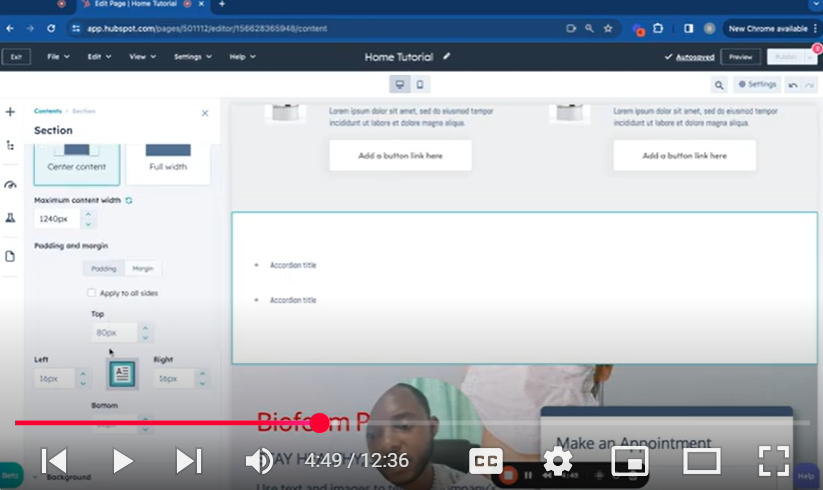
Elevate your HubSpot CMS experience with our step-by-step tutorial on using the drag-and-drop feature in the page editor. This comprehensive guide, titled “Mastering HubSpot CMS: Part 8 – Drag and Drop Section in Page Editor,” is designed to streamline your web page creation process, making it more intuitive and efficient.
🚀 What You’ll Learn:
Starting a New Web Page: Kick off your design process by selecting the perfect template for your needs.
Adding Sections and Elements: Discover how to effortlessly add and customize sections, modules, and elements to enrich your page content.
Layout Adjustments: Gain insights into modifying layouts for optimal content presentation, including adjustments for padding, alignment, and full-width sections.
Module Integration: Explore the vast array of modules available within HubSpot CMS and learn how to incorporate them into your page design.
Styling and Customization: Master the art of personalizing your page with background colors, images, gradients, and more to match your branding.
Responsive Design: Ensure your page looks great on all devices by making mobile-specific adjustments and testing responsiveness.
Advanced Section Management: Learn how to clone, move, and delete sections or modules to perfect your page layout.
Saving and Reusing Sections: Save time by saving custom sections for reuse on other pages within your HubSpot CMS.
Final Touches: Wrap up your design with SEO optimization, setting page details, and previewing your work before going live.
📌 Key Features Covered:
Drag-and-Drop Interface: A user-friendly way to construct and organize your web page sections and content.
Module Library: Access to a wide range of functional and aesthetic modules to enhance your page.
Design Flexibility: Tools and settings that allow for detailed customization of each page element.
Mobile Optimization: Easy adjustments to ensure your content is mobile-friendly.
Efficient Workflow: Tips for saving sections and efficiently managing page content.
👨💻 Ideal For:
This tutorial is perfect for digital marketers, web designers, and HubSpot CMS users looking to leverage the platform’s drag-and-drop feature for creating engaging, professional-looking web pages without the need for extensive coding knowledge.
👍 If you find this guide helpful, please like, share, and subscribe for more in-depth tutorials on mastering HubSpot CMS and enhancing your digital marketing strategies.
💬 Have any questions or need further clarification? Leave a comment below, and we’ll be happy to assist you in making the most out of your HubSpot CMS experience.
Leave your comment