
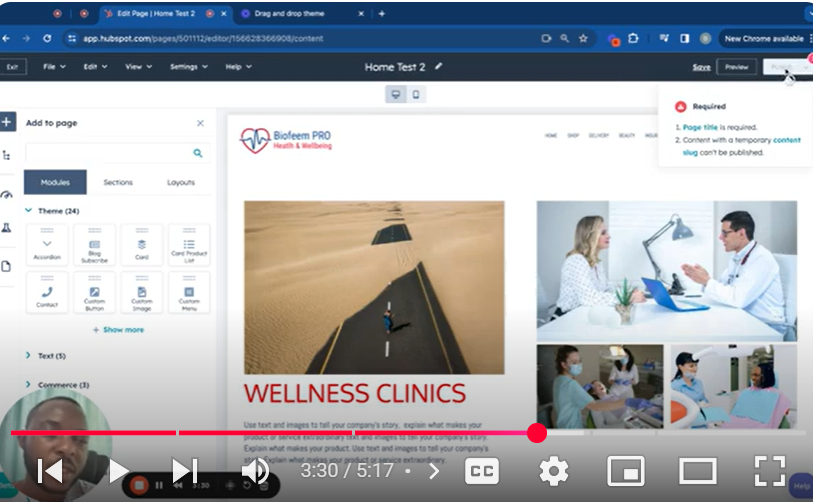
Dive into the dynamic world of HubSpot CMS with our latest tutorial on the Page Editor, now revamped for an enhanced user experience in 2024. This guide takes you through the intuitive and user-friendly interface of HubSpot’s Page Editor, showcasing the seamless process of creating, editing, and optimizing web pages within the HubSpot environment. Whether you’re crafting content for the first time or looking to refine your existing pages, this tutorial provides essential insights into utilizing the full spectrum of features offered by the HubSpot CMS Page Editor.
🔍 What You’ll Discover:
Navigating the New Interface: Explore the updated look and feel of the Page Editor, designed for optimal user engagement and efficiency.
Content Creation and Staging: Learn how to initiate content creation in the staging area, ensuring a secure environment for your drafts and revisions.
Drag-and-Drop Functionality: Master the drag-and-drop feature for effortless layout customization and module integration, enhancing the visual appeal and functionality of your pages.
SEO and Page Optimization: Uncover the built-in SEO tools and recommendations provided by HubSpot to ensure your pages are optimized for search engines and user engagement.
Mobile Editing and Preview: Adapt your content for mobile devices with dedicated editing tools, ensuring your pages deliver a consistent experience across all platforms.
Advanced Settings and Customizations: Delve into the advanced settings for page-specific customizations, including language selection, audience access controls, dynamic content integration, and more.
Saving and Publishing: Understand the importance of proper saving techniques to prevent unintended live updates and how to effectively publish your finalized content.
🎥 Key Segments in the Tutorial:
00:00 Introduction to the Updated Page Editor
01:07 Creating and Customizing Web Pages
02:17 Exploring Advanced Page Settings
03:52 Managing Page Access and Dynamic Content
04:17 Utilizing the Autosave Feature and Version History
05:16 Final Thoughts and Best Practices
🚀 Who This Tutorial Is For:
This comprehensive guide is tailored for marketers, content creators, web developers, and any HubSpot users keen on leveraging the latest features of the HubSpot CMS Page Editor to create engaging, optimized, and visually stunning web pages.
👍 If you find this tutorial helpful, please like, share, and subscribe for more in-depth guides on HubSpot CMS and other digital marketing tools.
💬 Questions or Need Further Assistance?
Don’t hesitate to comment below with your queries or feedback. We’re here to support your journey in maximizing the potential of your HubSpot CMS pages.
SUBSCRIBE
https://www.youtube.com/@BACHOTMPUNGA…
Need help? Ping me on LinkedIn
/ bachot-mpunga-bashala-b834191b
HubSpotCMS #PageEditor #WebDesign #HubSpotTutorial #DigitalMarketing #ContentCreation #SEO #MobileEditing #HubSpot2024 #WebPageOptimization
Leave your comment