
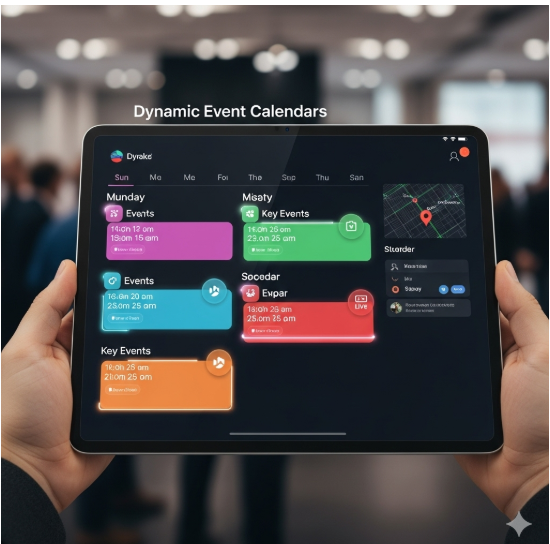
Dynamic Event Calendars
-
0 sales
- 279 views
- Save
0 /5.0
User review



Dynamic Event Calendars
1. Discovery & Audit
- Review existing event management processes and calendar tools.
- Identify business objectives: improve event visibility, registration, and attendee engagement.
- Audit CRM, website, and marketing platforms for integration readiness.
- Map event types, categories, and user roles.
2. Strategy & Planning
- Define calendar objectives:
- Centralized display of events, webinars, and workshops
- Real-time updates for attendees and internal teams
- Seamless registration and reminder workflows
- Establish KPIs: event registrations, attendance rate, user engagement, and conversion.
- Plan event categorization, tagging, and filtering for easy navigation.
3. Calendar Design & User Experience
- Design visually intuitive calendar layouts (monthly, weekly, daily views).
- Implement dynamic filtering by event type, location, category, or audience.
- Ensure mobile responsiveness and accessibility across devices.
- Include event details, descriptions, speakers, and registration links.
4. System Setup & Integration
- Configure event calendar platform or custom solution.
- Integrate with CRM, marketing automation, email, and registration systems.
- Sync events in real-time to ensure accurate display and availability.
- Enable role-based permissions for content creation, approval, and management.
5. Automation & Workflows
- Automate event registration confirmations, reminders, and follow-ups.
- Trigger workflows for lead capture, attendee tracking, and post-event engagement.
- Implement dynamic content updates based on user behavior or event changes.
6. Testing & QA
- Validate calendar functionality, filters, and dynamic updates.
- Test registration and integration workflows with CRM and email platforms.
- Ensure cross-device and cross-browser compatibility.
- Check for accessibility and compliance standards.
7. Reporting & Analytics
- Track metrics:
- Registrations, attendance, and drop-offs
- User engagement and event feedback
- Conversion from events to leads or sales
- Provide dashboards for marketing, event, and sales teams.
- Analyze trends to optimize future events and promotion strategies.
8. Optimization
- Refine calendar design, filters, and workflows based on analytics and user feedback.
- Update event details and content dynamically for ongoing campaigns.
- Implement A/B testing for event promotion, registration forms, and reminders.
- Continuously enhance user experience for discovery, registration, and engagement.
9. Ongoing Monitoring & Support
- Monitor calendar performance, integrations, and registration workflows.
- Update event information, templates, and automation as needed.
- Provide training and documentation for marketing and event management teams.
- Conduct periodic audits to ensure data accuracy, engagement tracking, and compliance.
Value Delivered
- Centralized, dynamic hub for all events and registrations.
- Improved attendee engagement and registration rates.
- Seamless integration with CRM and marketing automation for lead capture and nurturing.
- Data-driven insights for optimizing events, promotions, and campaigns.
- Scalable solution for multiple event types, audiences, and channels.
Additional services
-
0 $
-
0 $
-
0 $
-
0 $
-
0 $