
Intelligent Meeting Scheduling Integration
-
0 sales
- 293 views
- Save
0 /5.0
User review
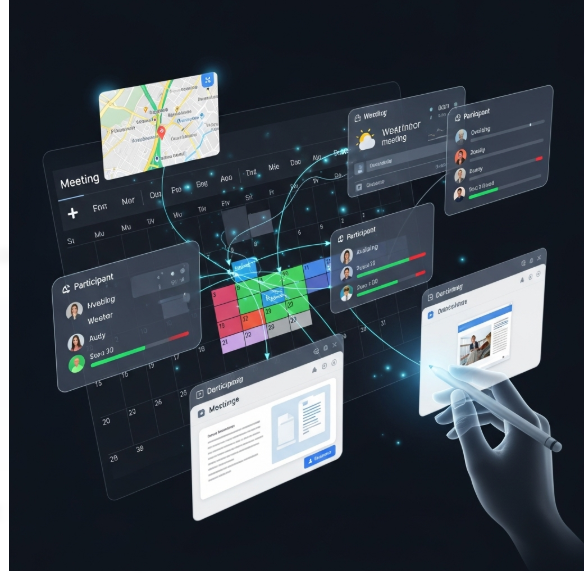
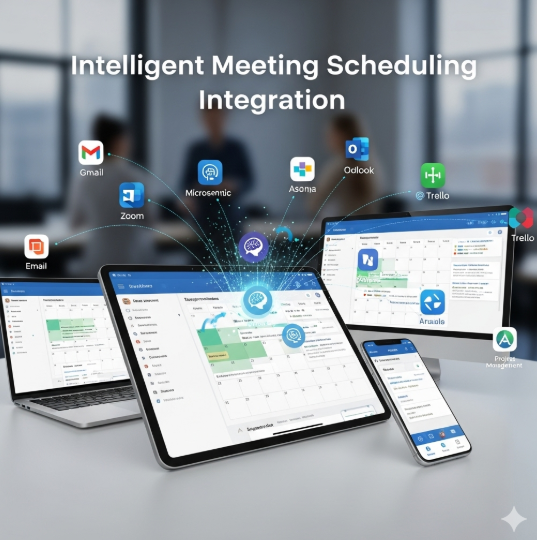

Intelligent Meeting Scheduling Integration
1. Discovery & Assessment
- Audit existing meeting scheduling processes, calendar systems, and collaboration tools.
- Identify business objectives: reduce scheduling conflicts, save time, and improve client and internal team experience.
- Map key touchpoints: appointment requests, confirmations, reminders, and follow-ups.
- Assess CRM, email, and calendar platforms for integration capabilities.
2. Strategy & Planning
- Define scheduling goals:
- Automate meeting bookings based on availability and preferences
- Integrate with CRM to capture lead, client, or internal meeting data
- Reduce back-and-forth communication and scheduling errors
- Establish KPIs: meeting booking rate, rescheduling frequency, attendee no-shows, and response time.
- Segment users and meeting types for tailored workflows.
3. Scheduling Logic & Workflow Design
- Configure intelligent availability detection based on calendars, time zones, and priorities.
- Set up automated workflows for booking confirmations, reminders, and follow-ups.
- Include features like buffer times, multi-attendee scheduling, and recurring appointments.
- Implement conflict resolution rules and fallback options for unavailable times.
4. Integration & Technical Setup
- Integrate scheduling platform with CRM, email, and calendar systems (Google Calendar, Outlook, etc.).
- Enable real-time data sync for availability, bookings, and attendee information.
- Configure automated notifications, reminders, and calendar invites.
- Ensure secure handling of sensitive meeting and contact data.
5. Testing & Quality Assurance
- Test scheduling workflows across devices, time zones, and multiple participants.
- Validate CRM data capture, automated notifications, and calendar updates.
- Ensure edge cases like overlapping meetings, cancellations, and rescheduling work correctly.
- Monitor system performance under high booking volume.
6. Reporting & Analytics
- Track metrics: scheduled meetings, attendance rates, reschedules, cancellations, and follow-up actions.
- Provide dashboards for sales, marketing, and operations teams.
- Analyze trends to optimize scheduling efficiency and resource allocation.
- Use insights to improve client engagement and internal meeting management.
7. Optimization & Continuous Improvement
- Refine booking logic, workflows, and notification sequences based on analytics and user feedback.
- Test new scheduling features, automated reminders, and personalization options.
- Align scheduling strategies with business growth, team availability, and customer expectations.
- Continuously improve integration with CRM, calendar, and communication platforms.
8. Ongoing Monitoring & Support
- Monitor integration performance, data accuracy, and workflow reliability.
- Maintain system updates, calendar sync, and automated notifications.
- Provide training and documentation for internal teams and clients.
- Conduct periodic audits to ensure scheduling efficiency, accuracy, and compliance.
Value Delivered
- Streamlined, automated meeting scheduling that reduces administrative effort.
- Improved customer and internal team experience with fewer conflicts and delays.
- Real-time integration with CRM and calendars for accurate tracking and follow-ups.
- Data-driven insights to optimize meeting management and resource allocation.
- Scalable solution for handling multiple meeting types, time zones, and participants efficiently.
Additional services
-
0 $
-
0 $
-
0 $
-
0 $
-
0 $