
🔑 How to Retrieve Zoom Meeting Recording Password via API Integration (HubSpot & Zoom) 🔑
In this step-by-step tutorial, I’ll show you how to automatically fetch the password for Zoom meeting recordings using HubSpot’s Engagement API and Zoom’s server-to-server authentication app.
You’ll learn:
How to set up API integrations using HubSpot and Zoom.
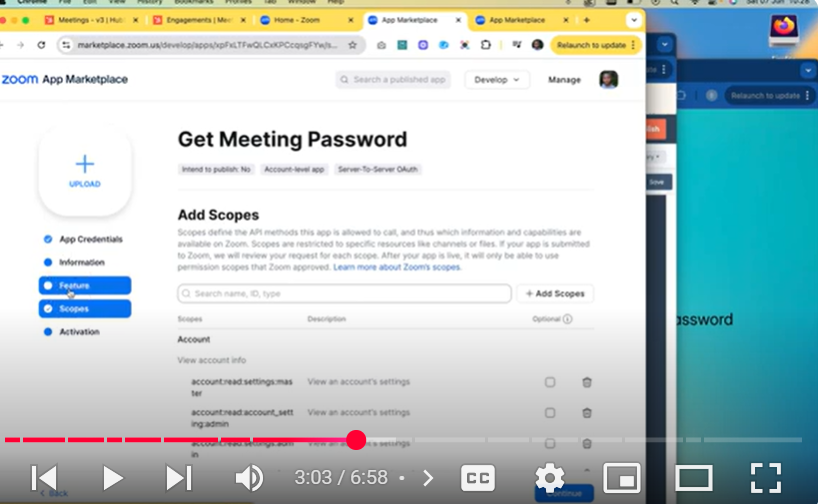
Steps to build a secure Zoom app using Server-to-Server authentication.
Fetching the Zoom meeting ID and password through API endpoints.
Automatically including meeting links and passwords in HubSpot workflow emails.
By following these steps, you can easily send secured Zoom recordings to your meeting attendees without manually retrieving passwords.
✅ If you found this video helpful, please subscribe, like, and hit the notification bell for more tech tutorials!
Thanks for watching! 🚀
Watch next:
0:00 Intro & use case
0:08 Why Zoom recordings still ask for a password
0:32 Overview of the HubSpot + Zoom integration
0:52 Step 1: Get your meeting ID via Engagements API
1:00 Step 2: Fetch the recording password from Zoom
1:20 Zoom API endpoints & docs (link below)
1:50 How to set up your Zoom Server-to-Server OAuth app
2:06 Creating scopes & activating your Zoom app
3:34 Which Zoom scopes you need (cloud_recording:read:list_recording_files, etc.)
4:13 Generating an access token for your app
4:36 Looping through metadata to pull share_url & password
5:01 Building the output fields in HubSpot
5:24 Passing the URL + password into your workflow email
5:56 Sending the recording link & password via HubSpot email
6:05 Wrap up & next steps
📚 Helpful Links:
Zoom App Marketplace: https://marketplace.zoom.us
HubSpot Engagements API
https://developers.hubspot.com/docs/g…
Zoom “Get Meeting Recordings” API
https://developers.zoom.us/docs/api/r…
Zoom Server-to-Server OAuth Setup
https://developers.zoom.us/docs/inter…
▶️ Try it yourself
Create a Zoom Server-to-Server OAuth app → copy your Client ID, Client Secret, Account ID
Activate these scopes in Zoom App Marketplace:
scheduler.meetings.meeting-link.read
cloud_recording:read:list_recording_files
cloud_recording:read:list_recording_files:admin
meeting:write:sip_dialing:admin (if you need SIP URI)
Build your HubSpot custom action using the code snippets in the description
Embed your unlocked recording link & password into a HubSpot Workflow email template
Share the recording—no extra password entry required!
👍 If this helped you out, please like, comment, and subscribe for more HubSpot & Zoom automation tutorials!
🔔 Hit the bell to get notified about future API deep dives and workflow hacks.
HubSpot #ZoomAPI #WorkflowAutomation #ServerToServerOAuth #RecordingPassword #NoCodeAutomation
Leave your comment